
Front Runners are Out the Gate!
From the Original Pages
Click a page to enlarge · Alt-click to open the full issue
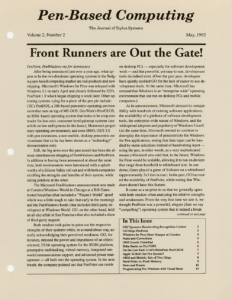
PenPoint, PenWindows vie for dominance
After being announced just over a year ago, what appear to be the two dominant operating systems in the fledgling pen-based computing market are real products and now shipping. Microsoft’s Windows for Pens was released with Windows 3.1 in early April and closely followed by GO’s PenPoint 1.0 which began shipping a week later. Other operating systems vying for a piece of the pen pie include: CIC’s PenDOS, a 386-based pencentric operating environment that runs on top of MS-DOS; GeoWork’s Pen/GEOS, an 8086-based operating system that looks to be a top contender for low-cost, consumer-level palmtop systems (see article on low end systems in this issue); Momenta’s proprietary operating environment; and even IBM’s OS/2 2.0 with pen extensions, a non-mobile, desktop pencentric environment that so far has been shown as a “technology” demonstration only.
Still, the big news over the past month has been the almost-simultaneous shipping of PenWindows and PenPoint. In addition to having been announced at about the same time, both environments were introduced with a splash worthy of a Silicon Valley roll out and with both companies extolling the strengths and benefits of their system, while taking potshots at the other.
The Microsoft PenWindows announcement was made at Comdex/Windows World in Chicago at a Bill Gates-hosted breakfast (that included a “Wayne’s World” spoof which was a little tough to take that early in the morning) and the PenWindows booth (that included third-party developers) at Windows World. GO, on the other hand, held an all-day affair in San Francisco that also included a show of third-party support.
Both vendors took pains to point out the respective strengths of their systems while, in a roundabout way, actually acknowledging their perceived weakness. GO, for instance, stressed the power and importance of an object-oriented, 32-bit operating system for the 80386 platform, preemptive multitasking, virtual memory, integrated network/communications support, and advanced power management — all built into the operating system. In the next breath, the company pointed out that PenPoint can reside on desktop PCs — especially for software development work — and that powerful, yet easy-to-use, development tools do indeed exist. (Over the past year, developers have quietly scolded GO for the lack of easier-to-use development tools. At the same time, Microsoft has stressed that Windows is an “enterprise-wide” operating environment that can run on desktop PCs and mobile computers.)
At its announcement, Microsoft stressed its compatibility with hundreds of existing software applications, the availability of a plethora of software development tools, the enterprise-wide nature of Windows, and the widespread adoption and popularity of Windows 3 itself. (At the same time, Microsoft seemed to continue to downplay the importance of pencentricity for Windows for Pen applications, noting that data input can be handled by menu selections instead of handwriting input — using the pen, in other words, as a very sophisticated mouse.) Microsoft also said that, in the future, Windows for Pens would be scalable, allowing it to run on devices that range from handheld to whiteboard size. In one demo, Gates played a game of Solitaire on a whiteboard (approximately 3×5 feet in size). In the past, GO has touted the scalability of PenPoint, while noting that Windows doesn’t have this feature.
It came as a surprise to us that we generally agree with both vendors when analyzing the relative strengths and weaknesses. From the very first time we saw it, we thought PenPoint was a powerful, elegant (dare we say “compelling”) operating system that is indeed a break with the past. Early on we felt that PenPoint would eventually spawn some very powerful and unique applications. PenPoint 1.0 lives up to these expectations. Because of operating system facilities, applications are powerful and generally easy to use — and programs like PenMagic’s Numero and InkWare’s NoteTaker are robust and unique (see separate story on PenPoint third party applications).
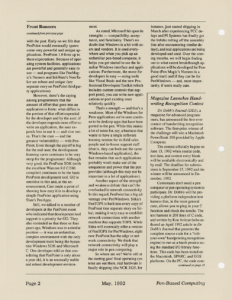
However, there’s the saying among programmers that the amount of effort that goes into an application is finite: what differs is the portion of that effort expended by the developer and by the user; if the developer expends more effort to write an application, the user expends less to use it — and vice versa. That’s the case — and the greatest vulnerability — with PenPoint. Even though the payoff is big for the end-user, the development learning curve continues to be very steep for the programmer. Although very good, the PenPoint SDK (with the excellent Watcom 9.0 C/386 compiler) continues to be the basic PenPoint development tool. GO is sensitive to this and, at the announcement, Carr made a point of showing how easy it is to develop a simple PenPoint application using Slate’s PenApps.
Still, we talked to a number of developers at the PenPoint event who indicated that development tool support is a priority for GO. They also reminded us that three or four years ago, Windows was in a similar position — it was an unfamiliar, complex environment with the only development tools being the byzantine Windows SDK and Microsoft C. One developer told us that considering that PenPoint is only about a year old, it is an unusually stable and robust development environment.
As stated, Microsoft hit upon its strengths — compatibility, acceptance, and familiarity. There’s no doubt that Windows is a hit with users and vendors. It is used everywhere and when you pick up an unfamiliar pen-based computer, it helps you get started to see the familiar Windows interface and applications. Furthermore, the move for developers is easy — using tools like Visual Basic and the new Professional Developers Toolkit (which includes custom controls that support pens), you can write new applications or port existing ones relatively quickly.
That’s a strength — and that’s a weakness. Most of the Windows for Pens applications we’ve seen continue to be desktop apps that have been ported to the pen. While this makes a lot of sense for, say, a business that wants to have a single software training session for its field sales people and in-house support staff (that is, they can both use the same Windows-based application), the fact remains that such applications probably won’t make use of the uniqueness and power that the pen provides (although this may not be important in a lot of applications).
Another aspect of the strength and weakness debate that can’t be overlooked is network connectivity. In this regard, PenPoint has a big advantage over PenWindows. Sitka’s PenTOPS is built into every copy of PenPoint (see separate story on Sitka), making it very easy to establish network connections with another machine that supports TOPS. While Sitka will eventually offer a version of PenTOPS for PenWindows, right now PenPoint has the edge in network connectivity. We think that network connectivity will play a major role in pen computing.
So where are we? We’re still at the starting gate! Real operating systems are out there, real hardware is finally shipping (the NCR 3125, for instance, just started shipping in March after experiencing FCC delays and PI Systems has finally got the Infolio rolling off the assembly line after encountering similar delays), and real applications are being developed and used. Over the coming months, we will begin finding out to what extent breakthrough applications will be developed for PenPoint (Pen Magic’s Numero is a good start) and if they can be for PenWindows — and, most importantly, if users really care.
Transcribed from Pen-Based Computing, Volume 2, Number 2 — May 1992. Pages 1, 2.