
The PI Infolio and the Proforma SDK
From the Original Pages
Click a page to enlarge · Alt-click to open the full issue
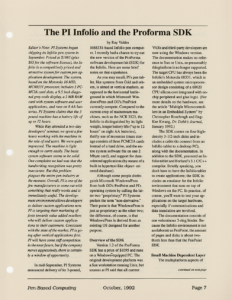
Editor’s Note: PI Systems began shipping its Infolio pen system in September. Priced at $1895 (plus $95 for the software license), the Infolio is a competitively priced and attractive system for custom pen application development. The system, based on the Motorola 16 MHz MC68331 processor, includes 3 PCMCIA card slots, a 9.5 inch diagonal grey scale display, a 2 MB RAM card with system software and user applications, and runs on 8 AA batteries. PI Systems claims that the 3 pound machine has a battery life of up to 12 hours.
While Ray attended a two-day developers’ seminar, we spent a few hours working with the machine in the role of end users. We were quite impressed. The machine is light enough to carry easily. The basic system software seems to be solid. One complaint we had was that the handwriting recognition was pretty inaccurate. But this problem plagues the entire pen industry at the moment. Overall, PI is one of the few manufacturers to come out with something that really works and is immediately useful. The development environment allows developers to deliver custom applications now. PI is targeting their marketing efforts towards value added resellers who will deliver custom applications to their customers. Consistent with the state of the market, PI is going after vertical applications first. PI will have some stiff competition in the near future, but if the company moves aggressively, there is certainly a window of opportunity.
In mid-September, PI Systems announced delivery of its 3-pound, M68331-based Infolio pen computer. I recently had a chance to try out the new version of the ProForma software development kit (SDK) for the Infolio. Here are some brief notes on that experience.
As you may recall, PI’s pen tablet, like systems from Grid and others, is aimed at vertical markets, as opposed to the horizontal battleground in which Microsoft Windows/Pens and GO’s PenPoint currently compete. Compared to the current crop of mainstream machines, such as the NCR 3125, the Infolio is distinguished by its light weight, longer battery life (“up to 12 hours” on eight AA batteries), thrifty use of resources (mass storage consists of three PCMCIA cards instead of a hard drive, and the entire system software fits on one 2 Mbyte card), and support for data-oriented applications (by means of a built-in hypertext-like object-oriented database).
Although some people distinguish Microsoft Windows/Pens from both GO’s PenPoint and PI’s operating system by calling the latter two “proprietary,” PI Systems prefers the term “non-derivative.” Their point is that Windows/Pens is just as proprietary as the other two; the difference, of course, is that Windows/Pens is derived from an existing OS designed for another purpose.
Overview of the SDK
Version 1.2 of the ProForma SDK has a price of $1095 and runs on a Windows-equipped PC. The original development platform was a Sun workstation running Unix, but sources at PI said that all current VARs and third-party developers are now using the Windows version. The documentation makes no reference to Sun or Unix, so presumably this platform is no longer supported. The target CPU has always been the Infolio’s Motorola 68331, which is an embedded system microprocessor design consisting of a 68020 CPU silicon core integrated with on-chip peripheral and glue logic. (For more details on the hardware, see the article “Multiple Microcontrollers in an Embedded System” by Christopher Rosebrugh and Eng-Kee Kwang, Dr. Dobb’s Journal, January 1992.)
The SDK comes on four high-density 3-1/2-inch disks and includes a cable (to connect from an Infolio tablet to a desktop PC), along with the documentation. In addition to the SDK, you need an Infolio tablet and Borland’s 3.1 C/C++ compiler. Strictly speaking, you don’t have to have the Infolio tablet to create applications; the SDK includes an emulator for the Infolio environment that runs on top of Windows on the PC. In practice, of course, you’ll want to test your applications on the target hardware, especially if communications and data translation are involved.
The documentation consists of one voluminous 3-ring binder. Because the Infolio environment is not as elaborate as PenPoint, the amount of pages and disks is about two-thirds less than that the PenPoint SDK.
Small Machine Dependent Layer
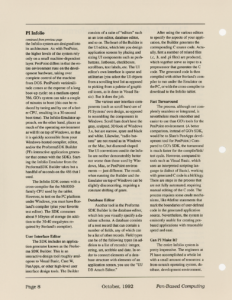
The multiplatform aspects of the Infolio system are designed into its architecture. As with PenPoint, the higher levels of the system rely only on a small machine-dependent layer. PenPoint differs in that the entire environment runs on the development hardware, taking over complete control of the machine from DOS. PenPoint’s verisimilitude comes at the expense of a long boot-up cycle: on a medium-speed 386, GO’s system can take a couple of minutes to boot (this can be reduced by tuning and by use of a faster CPU, resulting in a 30-second boot time). The Infolio Emulator approach, on the other hand, places as much of the operating environment as will fit on top of Windows, so that it is quickly accessible from your Windows-hosted compiler, editor, and/or the ProformaSDK Builder (PI’s interactive application generator that comes with the SDK). Starting the Infolio Emulator from the ProformaSDK Builder takes but a handful of seconds on the 486 that I used.
The Infolio SDK comes with a cross-compiler for the M68000-family CPU used by the tablet. However, to test on the PC platform under Windows, you must have Borland’s compiler (plus your favorite text editor). The SDK consumes about 9 Mbytes of storage (in addition to the 30-40 megabytes required by Borland’s compiler).
User Interface Editor
The SDK includes an application generator known as the Proforma SDK Builder. This is an interactive design tool roughly analogous to Visual Basic, Case:W, PenApps, or other high-level user interface design tools. The Builder consists of a suite of “editors” such as an icon editor, database editor, and so on. The heart of the Builder is the UI editor, which lets you design application screens by placing and sizing UI components such as pushbuttons, listboxes, checkboxes, scrollbars, text labels, etc. The UI editor’s own interface is sparse and utilitarian (you select the UI objects from a scrolling text list as opposed to picking from a palette of graphical icons, as is done in Visual Basic). But it does the job.
The various user interface components (such as scroll bars) are of PI Systems’ own design, as opposed to resembling the components in Windows. Scroll bars don’t have the gray, sculpted, 3D look of Windows 3.x, but are narrow, spare and black and white. Likewise, “radio buttons” are not round as in Windows or the Mac, but diamond-shaped. The UI conventions used in the Infolio are neither demonstrably better nor worse than those used by Windows, Mac, or PenPoint environments — just different. The result, when running the Builder and the Emulator on top of Windows can be slightly disconcerting, requiring a constant shifting of gears.
Database Editor
Another tool in the Proforma SDK Builder is the database editor, which lets you visually specify a database schema. A database consists of a root record that can contain a number of fields, any of which can be a list of other records. Field types can be of the following types (in addition to a list of records): integer, string, set, scribble and date. In order to connect elements of a database structure with elements of an application screen, you use the “UI/DB Attach Editor.”
After using the various editors to specify the aspects of your application, the Builder generates the corresponding C source code. Actually, first a number of related files (.c, .h, and .pi files) are produced, which together serve as input to a preprocessor that generates the C code. The generated code is then compiled with either Borland’s compiler to run under the Emulator on the PC, or with the cross-compiler to download to the Infolio tablet.
Fast Turnaround
The process, although not completely seamless or integrated, is nevertheless much smoother and easier to use than GO’s tools for the PenPoint environment. (A better comparison, instead of GO’s SDK, would be to Slate’s PenApps development tool for PenPoint.) Compared to GO’s SDK, the turnaround is much faster for the compile/link/test cycle. However, compared to tools such as Visual Basic, which uses an interpreted scripting language (a dialect of Basic), working with generated C code is a bit klugy. There are steps in the process that are not fully automated, requiring manual editing of the C code. The process requires some crude mechanisms, like #define statements that mark the boundaries of user-defined code in the generated application source. Nevertheless, the system is eminently usable for creating pen-based applications with reasonable speed and ease.
Can PI Make It?
The entire Infolio system is pretty impressive. The engineers at PI have accomplished a whole lot with a small amount of resources: a from-scratch operating system, database, development environment, recognizer, interactive UI development tool — not to mention hardware design and manufacturing. GO Corp and Microsoft have not done as much with many more engineers. You can use the Proforma SDK to create usable pencentric applications today.
Even so, all these accomplishments may not be enough. I wonder if PI Systems may be too small to compete with the larger players, and whether they have the financial provisions to last through a long cold winter in the pen market (I even wonder whether GO Corp has the wherewithal to last). Pen-based computing will inevitably become part of our lives, but how many of the current crop of start-ups will be able to hold on until that happens?
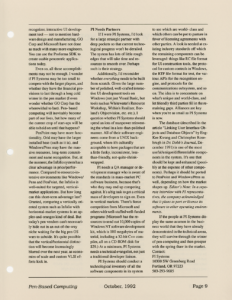
PenPoint may have more functionality, Grid may have the larger installed base (such as it is), and Windows/Pens may have the massive resources, long-term commitment and name recognition. But, at the moment, the Infolio system has a clear advantage in price/performance. Compared to resource-intensive environments like Windows/Pens and PenPoint, the Infolio is well-suited for targeted, vertical-market applications. But how long can this short-term advantage last? Granted, comparing a vertically oriented system such as Infolio with horizontal-market systems is an apples-and-oranges kind of deal. But today’s pen vendors can’t necessarily hide out in an out-of-the-way niche waiting for the big pen OS wars to subside. It’s quite possible that the vertical/horizontal distinction will become increasingly blurred over the next year, as economies of scale and custom VLSI efforts kick in.
PI Needs Partners
If I were PI Systems, I’d look for a large strategic partner with deep pockets so that current technological progress won’t be derailed. The system has lots of little rough edges that will take time and resources to smooth over. Perhaps such is their strategy.
Additionally, I’d reconsider whether everything needs to be built from scratch. Given the large number of polished, well-crafted interactive UI development tools on Windows (not just Visual Basic, but tools such as Whitewater’s Resource Workshop, Within’s Realizer, Borland’s Objectvision, etc. etc.), I question whether PI Systems should spend an iota of manpower reinventing the wheel in a less-than-polished manner. All of their software engineers come from a UNIX background, where it’s culturally acceptable to have packages that are a little funky, inconsistent, less-than-friendly, not-quite-shrink-wrapped.
PI needs a QA manager or development manager who is aware of the standards in mass-market PC software business, because that’s who they may end up competing against. It’s a big task to get a critical mass of developers to sign on. Even in vertical markets. There’s fierce competition from Microsoft and others with well-staffed well-funded programs (Microsoft has the resources to send out 10,000 copies of Windows NT software development kit, which is 100 megabytes of material, including a 32-bit C++ compiler, all on a CD-ROM disk for $29.) At a minimum, PI Systems needs a technical evangelist, not just a traditional developer liaison.
PI Systems should conduct a technological inventory of all the software components in its system to see which are world-class and which others can be put to pasture in favor of licensing agreements with other parties. A look is needed at existing industry standards off which the remaining components can be leveraged: things like RC file format for UI construction tools, the protocol for custom controls in Windows, the RTF file format for text, the various APIs for the recognition engine, and protocols for the communications subsystem, and so on. The idea is to concentrate on what’s unique and world-class, and let friendly third parties fill in the remaining gaps. Alliances are key when you’re as small as PI Systems is now.
The database (described in the article “Linking User Interface Objects and Database Objects” by Eng-Kee Kwang and Christopher Rosebrugh in Dr. Dobb’s Journal, December 1991) is one of the most useful/unique/differentiable components in the system. It’s one that should be kept and enhanced (possibly at the expense of other components). Perhaps it should be ported to PenPoint and Windows/Pens as well, depending on how the market shapes up. Editor’s Note: In a separate interview with PI representatives, the company acknowledged that it plans to port or license its software to other operating environments.
If the people at PI Systems display the same acumen in the business world that they have already demonstrated in the technical arena, they will survive through the winter of pen computing and then prosper with the spring thaw in the market.
Contact:
PI Systems
10300 SW Greenburg Road
Portland, OR 97223
503-293-9685
Transcribed from Pen-Based Computing, Volume 2, Number 4 — October 1992. Pages 7, 8, 9.