
Momenta Makes its Move
From the Original Pages
Click a page to enlarge · Alt-click to open the full issue
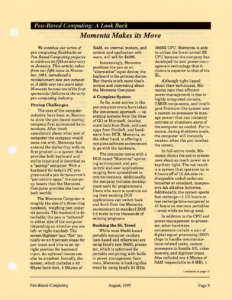
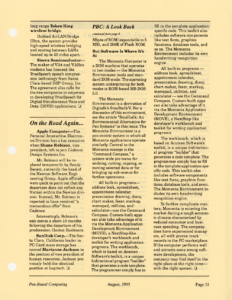
We continue our series of pen computing flashbacks as Pen-Based Computing prepares to celebrate its fifth anniversary in January. This article, taken from our fifth issue in November, 1991, introduced a revolutionary new pen computer. A little over two years later, Momenta became one of the first spectacular failures in the early pen computing industry.
Pentop Challenges
The eyes of the computer industry have been on Momenta since the pen-based startup company first announced its intentions. After much speculation about what sort of computer the company would come out with, Momenta has entered the stylus fray with its first product — a system that provides both keyboard and stylus input and is described as a “pentop” computer. With a keyboard for today’s PC programs and a pen for tomorrow’s “pen-centric apps,” the company boasts that the Momenta Computer provides the best of both worlds.
The Momenta Computer is roughly the size of a three-ring notebook, weighing just under six pounds. The keyboard is detachable; the pen is “tethered” to either side of the computer (depending on whether you are left- or right-handed). The screen/digitizer lays “flat” (actually on an 8 percent slope) for pen input and tilts to an upright position for keyboard input. An optional mouse can also be attached. Initially, the system, which includes a 40 Mbyte hard disk, 4 Mbytes of RAM, an internal modem, and system and application software, will sell for $4995.
Interestingly, Momenta positions the pen as an “alternative” input device; the keyboard is the primary device. But there’s much more that’s unique and interesting about the Momenta Computer.
A Complete System
So far, most entries in the pen computer arena have taken the component approach — operating systems from the likes of GO or Microsoft, development tools from Slate, end-user apps from PenSoft, and hardware from NCR. Momenta, on the other hand, is offering a complete software environment to go with the hardware.
The computer comes with a DOS-based “Momenta” operating environment and pen-centric end-user applications ranging from spreadsheet to communications. Additionally, the company includes development tools for programmers. Users who want to continue using their existing DOS applications can switch back and forth from the Momenta environment to standard DOS 5.0 mode to run thousands of existing programs.
Bucking the SL Trend
While most 80×86-based portable computer vendors (pen-based and otherwise) are using Intel’s new 386SL processor, which is optimized for portable computing with built-in power management functions, Momenta is bucking this trend by using Intel’s 20 MHz 386SX CPU. Momenta is able to utilize the lower-priced SX CPU because the company has developed its own power-management technology that it claims is superior to that of the SL.
Although tight-lipped about their techniques, Momenta says that efficient power-management is due to highly integrated circuits, CMOS components, and intelligent firmware (the system uses a custom co-processor to manage power) that can instantly activate or shutdown parts of the computer as needed. For instance, during shutdown mode, the computer will instantly awaken when the pen touches the screen.
In full-active mode, Momenta claims the entire system uses about as much power as a keychain light. The net result is a system that operates up to 8 hours off of 10 AA-size rechargeable nickel-cadmium batteries or standard, inexpensive AA alkaline batteries. Additionally, the system sports fast recharge—1 1/2 hours or less recharge time compared to 10 hours on common portables —even while its being used.
In addition to the CPU and power-management co-processor, other hardware components include a pair of digital signal processing (DSP) chips to handle communications-related tasks, custom processors to handle I/O, video memory, and digitizer input. Also included are 4 Mbytes of RAM (expandable to 8 MB), 1 Mbyte of ROM (expandable to 5 MB), and 256K of Flash ROM.
But Software Is Where It’s At
The Momenta Computer is a DOS machine that operates in two modes — the Momenta Environment mode and standard DOS mode. The operating system underpinning for both modes is ROM-based MS-DOS 5.0.
The Momenta Environment is a derivation of Digitalk’s Smalltalk/V. For a discussion of this environment, see the article “Smalltalk: An Environmental Alternative for Pen Systems” in this issue. The Momenta Environment is a pen-centric system in which all Momenta applications operate similarly. Central to the Momenta concept is the “Command Compass,” a system-wide pen mechanism for undoing, cutting, copying, or moving selected data or for bringing up sub-menus for further operations.
All built-in programs—address book, spreadsheet, appointment calendar, presentation drawing, diary, chart maker, faxer, markup, memopad, utilities, and calculator—use the Command Compass. Custom-built apps can also take advantage of it via the Momenta Application Development Environment (MOVE), a NextStep-like developer’s workbench and toolkit for writing application programs. The workbench, which is based on Acumen Software’s toolkit, is a unique bidirectional program “builder” that generates a code template. The programmer simply has to fill in the template application specific code. This toolkit also includes software components like text fonts, graphics functions, database tools, and so on. The Momenta Environment includes its own handwriting recognition engine.
All built-in programs—address book, spreadsheet, appointment calendar, presentation drawing, diary, chart maker, faxer, markup, memopad, utilities, and calculator — use the Command Compass. Custom-built apps can also take advantage of it via the Momenta Application Development Environment (MOVE), a NextStep-like developer’s workbench and toolkit for writing application programs.
The workbench, which is based on Acumen Software’s toolkit, is a unique bidirectional program “builder” that generates a code template. The programmer simply has to fill in the template application specific code. This toolkit also includes software components like text fonts, graphics functions, database tools, and so on. The Momenta Environment includes its own handwriting recognition engine.
To further complicate matters, Momenta is entering the market during a tough economic climate characterized by reduced consumer and business spending. The company does have experienced managers, all with proven track records in the PC marketplace. If the computer performs well and attracts some strong software development, the company may find itself in the right place at the right time—with the right system.
Transcribed from Pen-Based Computing, Volume 5, Number 8 — August 1995. Pages 9, 11.