
Palm Hopes to Pilot Stormy Waters
From the Original Pages
Click a page to enlarge · Alt-click to open the full issue
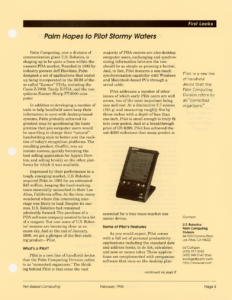
Palm Computing, now a division of communication giant U.S. Robotics, is shaping up to be quite a force within the nascent PDA market. Founded in 1992 by industry pioneer Jeff Hawkins, Palm designed a set of applications that ended up being incorporated in the ROM of the so-called “Zoomer” PDAs, including the Casio Z-7000, Tandy Z-PDA, and the not-quite-so-Zoomer Sharp PT-9000 computer.
In addition to developing a number of tools to help handheld users keep their information in sync with desktop-based systems, Palm probably achieved its greatest coup by questioning the basic premise that pen computer users would be unwilling to change their “natural” handwriting style to better suit the realities of today’s recognition platforms. The resulting product, Graffiti, was an instant success, quickly becoming the best selling application for Apple’s Newton, and selling briskly on the other platforms for which it was available.
Impressed by their performance in a tough, emerging market, U.S. Robotics acquired Palm in 1995 for an estimated $45 million, keeping the hard-working team essentially untouched in their Los Altos, California office. At the time, many wondered where this interesting marriage was likely to lead. Despite its success, U.S. Robotics had remained admirably focused. The purchase of a PDA software company seemed to be a bit of a tangent. But now some of U.S. Robotics’ reasons are becoming clear as an azure sky. And at the end of January, 1996, we got a glimpse of the first exciting product—Pilot.
What’s a Pilot?
Pilot is a new line of handheld device that the Palm Computing Division refers to as “connected organizers.” The thinking behind Pilot is that since the vast majority of PDA owners are also desktop computer users, exchanging and synchronizing information between the two should be as simple as pressing a button. And, in fact, Pilot features a one-touch synchronization capability with Windows and Macintosh-based PCs through a serial cable.
Pilot addresses a number of other issues of which early PDA users are well aware, two of the most important being size and cost. At a diminutive 5.7 ounces (161 g) and measuring roughly five by three-inches with a depth of less than one-inch, Pilot is small enough to truly fit into your pocket. And, in fact, at a breakthrough price of US $299, Pilot has achieved the sub-$300 milestone that many predict is essential for a true mass-market consumer device.
(Pull-quote) Pilot is a new line of handheld device that the Palm Computing Division refers to as “connected organizers.”

Some of Pilot’s Features
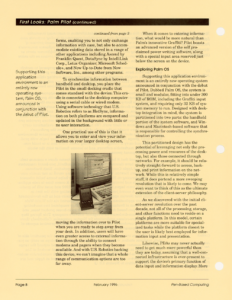
As you would expect, Pilot comes with a full set of personal productivity applications including the standard date and address books, to do list, calculator, and note or memo taker. These applications are complemented with companion software that runs on the desktop platforms, enabling you to not only exchange information with ease, but also to accommodate existing data stored in a range of other applications including Ascend by Franklin Quest, DataSync by IntelliLink Corp., Lotus Organizer, Microsoft Schedule+, and Now Up-to-Date from Now Software, Inc., among other programs.
To synchronize information between handheld and desktop, you place the Pilot in the small docking cradle that comes standard with the device. This cradle is connected to the desktop computer using a serial cable or wired modem. Using software technology that U.S. Robotics refers to as HotSync, information on both platforms are compared and updated in the background with little or no user interaction.
One practical use of this is that it allows you to enter and view your information on your larger desktop screen, moving the information over to Pilot when you are ready to step away from your desk. In addition, users will have even greater access to external information through the ability to connect modems and pagers when they become available. And with U.S. Robotics backing this device, we can’t imagine that a whole range of communication options are too far away.

When it comes to entering information, what would be more natural than Palm’s innovative Graffiti? Pilot boasts an advanced version of the self proclaimed power writing software, along with a special input area reserved just below the screen on the device.
(Pull-quote) Supporting this application environment is an entirely new operating system, Palm OS, announced in conjunction with the debut of Pilot.
Exploring Palm OS
Supporting this application environment is an entirely new operating system announced in conjunction with the debut of Pilot. Dubbed Palm OS, the system is small and modular, fitting into under 300 KB of ROM, including the Graffiti input system, and requiring only 32 KB of system memory to run. Designed with desktop integration in mind, the system is partitioned into two parts: the handheld portion of the system software, and Windows and Macintosh-based software that is responsible for controlling the synchronization process.
This partitioned design has the potential of leveraging not only the processing power and resources of the desktop, but also those connected through networks. For example, it should be relatively straight-forward to access, backup, and print information on the network. While this is relatively simple stuff, it does portend a more sweeping revolution that is likely to come. We may even want to think of this as the ultimate extension of the client-server philosophy.
As we discovered with the initial client-server revolution over the past decade, not all of the processing, storage, and other functions need to reside on a single platform. In this model, certain platforms are more suitable for specialized tasks while the platform closest to the user is likely best employed for information input and presentation.
Likewise, PDAs may never actually need to get much more powerful than they are today, assuming that a well-connected infrastructure is ever-present to support the device’s primary function of data input and information display. More likely though, we’re likely to see a convergence of local power and back-end connectivity on future devices, with devices like Pilot starting to point the way.
Developing Applications for Pilot
When contemplating application development for Pilot, it’s best to think in terms of the handheld component and the so-called “conduits” which provide the information channel between the organizer and the desktop. Since Pilot features a Motorola processor, handheld application development and Macintosh conduits can be constructed using Apple’s Macintosh Programmer Workshop or the more developer-friendly CodeWarrior from Metrowerks.
Windows-based conduits are implemented as Dynamic Link Libraries (DLLs), and can be built using C or Visual Basic tools. Optionally, you can use Microsoft’s Foundation Classes to create Windows-based applications.
(Pull-quote) When contemplating application development for Pilot, it’s best to think in terms of the handheld component and the so-called “conduits” which provide the information channel between the organizer and the desktop.
Pinning Down Pilot’s Position
While Palm Computing points to Pilot as containing a number of features that make the device attractive for vertical markets, such as the Metrowerks-supplied development environment and replaceable RAM and ROM modules (see the Q&A session with Palm VP Ed Colligan starting on page 4), Palm is clearly positioning the device closer to Hewlett-Packard’s new OmniGo 100 Organizer Plus. Recall that Palm refers to the device as a connected organizer and not as a PDA.
More hints about positioning become clear when you start reading the product information sheet for Pilot. Gone are the references to megabytes of RAM and ROM. In its place you find the more consumer-friendly metrics of number of memos, appointments, to do items, and contact entries. And though every computer user realizes that memory and storage are all too finite on handheld computers, having the estimated number of records spelled out so explicitly seems strangely reassuring and arbitrary at the same time. However Pilot is adopted, its announcement sends a very strong signal that the pace of innovation is clearly picking up within the handheld and pen computing industry. Following the premature pronouncements of the death of an industry, Pilot illustrates what can be accomplished when bright minds and savvy marketing are placed in close juxtaposition. With the fall of the magical $300 dollar barrier, it will be interesting to see whether customers are indeed as price sensitive as pundits have claimed.
Next month, we’ll examine some of the third party applications that have been announced for Pilot, together with a closer look at the new Palm OS.
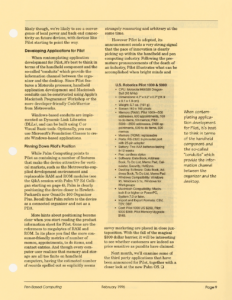
U.S. Robotics Pilot 1000 & 5000
- CPU: Motorola M68328 DragonBall (16 MHz)
- Dimensions: 4.7″ x 3.2″ x 0.7″ (11.9 x 8.1 x 1.8 cm)
- Weight: 5.7 oz. (161 g)
- Screen: 160 x 160 pixels
- Memory (RAM): Pilot 1000—500 addresses, 600 appointments, 100 to do items, 50 memos; Pilot 5000—2500 addresses, 2400 appointments, 500 to do items, 500 memos
- Memory (ROM): replaceable
- Ports: RS-232C 9-pin serial port with 25-pin adapter
- Battery: Two AAA batteries lasting 8-12 weeks
- Pen: cordless stylus
- Software: Date Book, Address Book, To Do List, Memo Pad, Calculator, Security, HotSync.
- Desktop Software: Data Book, Address Book, To Do List, Memo Pad (printed “Data Book”; the Software line above reads “Date Book”)
- Windows Compatibility: Windows 95, Windows 3.1x, Windows for Workgroups
- Macintosh Compatibility: Macintosh II or higher or PowerPC, System 7.0 or later.
- Import and Export Formats: CSV, TSV, DBF.
- Cost: Pilot 1000 US $299, Pilot 5000 $369, Pilot Memory Upgrade $149.
—
Contact:
U.S. Robotics
Palm Computing Division
4410 El Camino Real
Los Altos, CA 94022
Ed Colligan
(415) 917-3330
(415) 949-0147 (fax)
[email protected]
http://www.usr.com
Transcribed from Pen-Based Computing, Volume 6, Number 2 — February 1996. Pages 3, 8, 9.