
Windows CE Development in a Nutshell
From the Original Pages
Click a page to enlarge · Alt-click to open the full issue
A Non-Programmer’s Look at Some of the Issues
With the release of Windows CE, Microsoft has finally realized its goal of bringing a version of Windows to the handheld market. Representing a subset of the Windows 32 API—the backbone of Windows 95 and NT—Windows CE offers considerable potential for developing of custom and vertical applications. After all, thousands upon thousands of programmers are already familiar with desktop Windows development.
With all this attention, it’s a good time to take a brief look at what it takes to develop for this new platform, mostly from a non-programmer’s point of view. First, let’s get some of the jargon out of the way. Windows CE is a preemptive, multitasking operating system. This means that the system is capable of running several processes (programs) at the same time, and is capable of taking control away from an application (preempting) when necessary.
Windows CE also incorporates an advanced feature known as multi-threading, which is like multiprocessing except that the multiple threads run within a single process. Multithreading enables a developer to allow the program to continue to accept user input while recalculating part of the spreadsheet in the background, for example.
Windows CE also permits threads to be assigned different priorities. This is useful since a developer would likely want to assign a higher priority to the user interface—allowing the person to extract an important phone number—while the rest of the database is being sorted and re-indexed.
Being a subset of the Windows 32 API also carries another potential advantages, namely the possibility of reducing application development time by porting existing desktop applications. While appealing in principle, the reality is that many desktop applications rely on features and services not available in Windows CE, including ODBC (database) support, MAPI (messaging), and ActiveX (Microsoft’s component architecture).
Notwithstanding the purely technical issues, there are other good reasons why a straight port is often less than optimal. Handheld computing represents a sufficiently different paradigm, and operates on more physically constrained hardware. When deploying a new solution throughout an enterprise, it’s not a bad time to reconsider how the work performed may be redefined with the help of the new mobile system.
A Thoroughly Modern OS
Windows CE offers some additional benefit to developers. Unlike Windows 95, which retains remnants of the environment’s 16-bit history mostly for compatibility with earlier software, Windows CE is entirely a 32-bit system. The core of the operating system is designed to execute in place (XIP), meaning that the code can run directly from the device’s built-in ROM without having to consume precious RAM.
“Unlike Windows 95, which retains remnants of the environment’s 16-bit history, Windows CE is entirely a 32-bit system.”
Also, the kernel of the operating system is reentrant. This means that the same code can run as part of more than one process. The leads to smaller applications since several programs can access the same operating system services simultaneously via multitasking.
The system’s RAM also has a unique structure. Windows CE divides the device’s memory into two parts known as program memory and the object store. The role of the former is similar to the RAM found in desktop computer systems, namely to hold programs that are currently executing, along with system data.
The object store, on the other hand, is where the application stores its data. Users are free to customize their device by selecting how much RAM to allocate to each storage system.
The Typical Windows CE Application
When it comes to designing the structure of the application, developers will find a familiar home in Windows CE. The system uses a messaging model very much like Windows 95, Macintosh, and even certain other handheld computing systems. The model can be described as follows:
“The system uses a messaging model very much like Windows 95, Macintosh, and even certain other handheld computing systems.”
- Set initial values for objects and other data.
- Read a message from the queue. Messages can contain information about user events, such as tapping an icon, or communication from another application.
- Process the message. This step defines how your application will respond to events.
- Start over and read the next message in the queue.
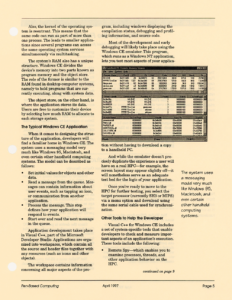
Application development takes place in Visual C++, part of the Microsoft Developer Studio. Applications are organized into workspaces, which contain all the source and header files together with any resources (such as icons and other objects).
The workspace contains information concerning all major aspects of the program, including windows displaying the compilation status, debugging and profiling information, and source code.
Most of the development and early debugging will likely take place using the Windows CE emulator. This program, which runs as a Windows NT application, lets you test most aspects of your application without having to download a copy to a handheld PC.
And while the emulator doesn’t precisely duplicate the experience a user will have on a real HPC—for example, the screen layout may appear slightly off—it will nonetheless serve as an adequate test bed for the logic of your application.
Once you’re ready to move to the HPC for further testing, you select the target processor (currently SH3 or MIPS) via a menu option and download using the same serial cable used for synchronization.
Other Tools to Help the Developer
Visual C++ for Windows CE includes a set of system-specific tools that enable developers to check and measure important aspects of an application’s execution. These tools include the following:
- Remote Spy—which enables you to examine processes, threads, and other application behavior on the HPC.
- Remote Zoomin—a handy utility that enables you to capture screens from an HPC connected via serial cable. The utility also enables you to zoom in on certain sections of the screen, hence the name.
- Remote Registry Editor—which enables you to modify the registry on the handheld PC. The Windows CE registry serves the same purpose as the registry in Windows 95, maintaining persistent configuration data stored in a binary, hierarchically arranged database. The registry replaces the (un)popular .ini files that you’ve probably seen in earlier versions of Windows.
- Remote Memory Viewer—enables you to determine how much memory is being used by each process or thread running on the handheld PC.
- Remote Application Debugger—an essential tool that enables you to debug applications running remotely on the Windows CE device. The debugger functions much the same as the conventional Visual C++ application debugger, offering multiple watch windows, a “locals” window, and DataTips pop-up information. Programmers can also set breakpoints, control program execution, and examine register information, while still within the Visual Studio environment running on NT.
- Remote Object Viewer—through which you can browse the file system, object store, and local drive. The Remote Object Viewer can also be used to move and copy files, folders, and databases—via drag and drop—in addition to deleting information from object stores.
The package includes the Microsoft Foundation Classes (MFC) for Windows CE. This extensive object-oriented library allows you to get projects up and running quickly, and enables you to more easily redefine the behavior of other applications. To help guide developers along, the package also includes MFC for Windows CE versions of the AppWizard and ClassWizard.
For developers already versed with Microsoft’s flavor of C++, the system supports the same extensions to the ANSI C++ standard as the regular Visual C++ environment. This permits greater code reuse and reduces the likelihood of introducing new bugs during code migration.
Visual C++ for Windows CE offers a set of sample applications written using C, C++, and MFC, enabling programmers to develop an understanding of how CE is similar to, or different from, Windows 95. Finally, the system comes with a complete set of developer documentation via an online InfoViewer integrated with the Visual Studio development system.
This includes documentation covering not only the SDK, but also the DDK (for creating Windows CE-specific device drivers). Included too is a reference describing all of the APIs supported on the platform.
Transcribed from Pen-Based Computing, Volume 7, Number 4 — April 1997. Pages 4, 5, 9.