
Wireless Data and Minimum Airtime Software
From the Original Pages
Click a page to enlarge · Alt-click to open the full issue
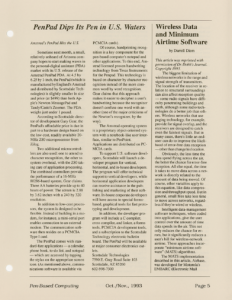
This article was reprinted with permission of Dr. Dobb’s Journal. Copyright 1993.
The biggest limitation of wireless networks is the range and signal strength of transmitters. The location of the receiver in relation to structural surroundings can also affect reception quality — some radio signals have difficulty penetrating buildings and earth, although some radio technologies do a better job than others. Wireless networks that use paging technology, for example, provide for signal overlap, and the receivers are designed to catch even the faintest signals. But in many cases, there’s little an end-user can do to improve the likelihood of error-free data reception — other than change his location.
Obviously, the less time the data spend flying across the air, the better the chance for error-free reception. All else equal, the time it takes to move data across a network is directly related to the amount of data being moved. Of course, other variables apply to this equation, like data compression and throughput speed. But in general, small files take less time to move across networks, regardless if they’re wired or wireless.
Intelligent data-management software techniques, when coded into applications, give the user control over the amount of time data spends in the air. This not only reduces the chance for errors, but it significantly reduces a user’s bill for wireless-network airtime. These approaches incorporate “minimum airtime software” (MATS) algorithms.
The MATS implementation described in this article, Airbase, was developed for Motorola’s EMBARC (Electronic Mail Broadcast to A Roaming Computer) nationwide wireless e-mail and data network. EMBARC, a one-way wireless approach to roaming data, is based on paging broadcast technology. You can use EMBARC to send e-mail, transfer files, and update databases to widely dispersed users, often to hundreds of mobile computers at the same time.
MATS: A Practical Database Example
Most applications carried by mobile PCs don’t require the transfer of large amounts of data — usually the bulk of the data is already on the PC and only needs to be “freshened.” Attempts to send a full file over-the-air when only a small part has changed results in higher costs and greater chance for error.
The MATS strategy assumes dispersed common data and the delivery of updates to that database via packets containing the new information and the instructions on how to process it into this roaming copy of the database.
Sending data in small packets minimizes exposure to interference-induced errors. Since packets are also identified as a part of a larger “set,” they can be re-combined into their original size and format on the receiving platform (usually a PC-type device). Error checking and ID tracking on each packet provides the user with information on a missed or corrupt packet. The receiving person or system can request retransmission of a missing or corrupt packet.
However, multiple errors in a file can still occur if a large number of packets are sent and rebuilt by the receiving application. An error in an ASCII e-mail file is usually tolerable since the document is read by a human instead of a PC. The context usually allows the reader to interpolate the correct answer.
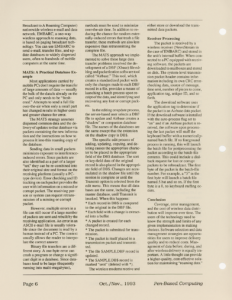
Binary file transfers are a different story. A one-byte error can crash a program or change a significant digit in a database. Since databases tend to be large (frequently running into multi-megabytes), methods must be used to minimize over-the-air time. In addition to reducing the chance for random externally-induced errors that trash a file transfer, these methods are also less expensive than retransmitting the complete file.
The MATS approach we implemented to solve these large data transfer problems involved the development of a DBF (Xbase) file editing and packetization software tool called “Airbase.” This tool, which creates a standardized packet with only the changes made to each DBF record in a file, provides a means of launching a batch process upon receipt of the data, and identifying and recovering any lost or corrupt packets.
In the editing or update process, the server-based user selects a DBF file to update and Airbase creates a “shadow” or companion database file. The names of the databases are the same except that the extension on the shadow copy is DB$.
The specific edit process of adding, updating, copying, and deleting causes the appropriate character to be placed in the appropriate field of the DB$ database. The sort or key-field data of the original record is also placed in the appropriate field of DB$. Changes are accumulated in the shadow file until the session is complete or until the Transmit option is selected from the edit menu. This means that all databases are the same, including the master database, until Transmit is invoked. When this happens:
- Each record in DB$ is compared to the original in the DBF file.
- Each field with a change is extracted into a buffer.
- A packet is created for each changed record.
- The packet is submitted for transmission.
- The packet is itself placed in a transmission packet and transmitted.
- The file SAMPLE.DBF record is updated.
- The SAMPLE.DB$ record is marked “sent” (deleted with *).
The wireless modems receive and either store or download the transmitted data packets.
Receiver Processing
The packet is received by a wireless receiver (NewsStream in the case of EMBARC) and stored in the unit’s internal buffer. When connected to a PC equipped with receiving software, the packets are downloaded to mailboxes and stored on disk. The system-level transmission packet header contains information including its own CRC error-checking data, source of message, time sent, number of pieces to come, application tag, unique ID, and so forth.
The download software uses the application tag to determine if the packet is an Airbase data packet. If the download software is installed with the auto-process flag set to “on” and if an Airbase packet is received, the software upon processing the last packet will stuff the keyboard buffer with a numerically-named batch file. If no foreground process is running, this will launch the batch file for postprocessing the packet according to the batch-file contents. This could include a dial-back request for lost or corrupt packets to be rebroadcast. The first byte of the packet is the batch-file number. For example, a “5” in the first byte will launch a batch file named 5.bat and so on. If the first byte is a 0, no keyboard stuffing occurs.
Conclusion
Coverage, error management, and the cost of wireless data distribution will improve over time. The users of the technology need to know the strength and limits of any given implementation in making choices. Software selection and data management strategies are opportunities for users to improve delivery quality and to reduce costs. Management of data before, during, and after wireless delivery is equally important. A little thought can provide a higher-quality, cost-effective solution for maintaining “roaming data.”
Transcribed from Pen-Based Computing, Volume 3, Number 5 — November 1993. Pages 5, 6.