
PenDOS: Making DOS Pen-Aware
From the Original Pages
Click a page to enlarge · Alt-click to open the full issue
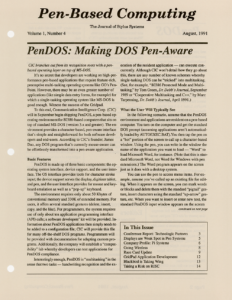
CIC branches out from its recognition roots with a pen-based operating layer on top of MS-DOS.
It’s no secret that developers are working on high-performance pen-based applications that require feature-rich, preemptive multi-tasking operating systems like GO’s PenPoint. However, there may be an even greater number of applications (like simple data entry forms, for example) for which a single-tasking operating system like MS-DOS is good enough. Witness the success of the Gridpad.
To this end, Communication Intelligence Corp. (CIC) will in September begin shipping PenDOS, a pen-based operating environment for 80386-based computers that sits on top of standard MS-DOS (version 3.x and greater). The environment provides a character-based, pen-aware interface that’s simple and straightforward for both software developers and end-users. According to CIC’s founder, James Dao, any DOS program that’s currently mouse-aware can be effortlessly transformed into a pen-aware application.
Basic Features
PenDOS is made up of three basic components: the operating system interface, device support, and the user interface. The OS interface provides tools for character stroke input; the device support serves the display, digitizer tablet, and pen, and the user interface provides for mouse and keyboard emulation as well as a “pop-up” keyboard.
The environment requires only about 50 Kbytes of conventional memory and 330K of extended memory. For users, it offers several standard gestures (delete, insert, copy, and the like). For programmers, the system requires use of only about ten application programming interface (API) calls; a software developers’ kit will be provided. Information about PenDOS applications then simply needs to be added to a configuration file; CIC will provide this file for many off-the-shelf DOS programs. Programmers will be provided with documentation for adapting custom programs. Additionally, the company will establish a “compatibility” lab whereby developers can test applications for PenDOS compliance.
Interestingly enough, PenDOS is “multitasking” in the sense that two tasks — handwriting recognition and the execution of the resident application — can execute concurrently. Although CIC won’t detail how they go about this, there are any number of known schemes whereby single-tasking DOS can be “tricked” into multitasking. (See, for example, “80386 Protected Mode and Multitasking,” by Tom Green, Dr. Dobb’s Journal, September 1989 or “Cooperative Multitasking and C++,” by Marc Tarpenning, Dr. Dobb’s Journal, April 1991.)
What the User Will Typically See
In the following scenario, assume that the PenDOS environment and applications are resident on a pen-based computer. You turn on the computer and get the standard DOS prompt (assuming applications aren’t automatically loaded by AUTOEXEC.BAT). You then tap the pen on a “hot” portion of the screen to call up a character-based window. Using the pen, you can write in the window the name of the application you want to load — “Word” to load Microsoft Word, for instance. (Note that this is standard Microsoft Word, not Word for Windows with pen extensions.) The Word program appears on the screen just as it does with a desktop system.
You can use the pen to access menu items. For example, assume you’ve called up an existing file for editing. When it appears on the screen, you can mark words or blocks and delete them with the standard “pigtail” gesture, insert characters using the standard “up-arrow” gesture, etc. When you want to insert or enter new text, the standard PenDOS input window appears on the screen and you simply write in the space provided. Upon your command, handwriting is converted to text characters and input into the document.
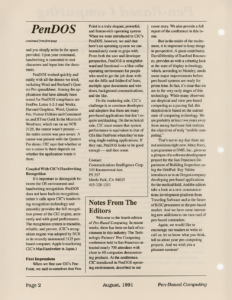
PenDOS worked quickly and easily with all the demos we tried, including Word and Borland’s Quattro Pro spreadsheet. Among the applications that have already been tested for PenDOS compliance are FoxPro, Lotus 1-2-3 and Works, Harvard Graphics, Word, Quattro Pro, Norton Utilities and Commander, and XTree Gold. In the Microsoft Word test, which ran on an NCR 3125, the cursor wasn’t present — the entire screen was pen-aware. A cursor was present with the Quattro Pro demo. CIC says that whether or not a cursor is there depends on whether the application wants it there.
Coupled With CIC’s Handwriting Recognition
It’s important to distinguish between the OS environment and handwriting recognition. PenDOS does not have built-in recognition; rather it calls upon CIC’s handwriting recognition technology and smoothly provides the full recognition power of the CIC engine, accurately and with good performance. The recognition system is trainable, reliable, and proven. (CIC’s recognition engine was adopted by NCR in its recently announced 3125 pen-based computer; Apple is marketing CIC’s MacHandwriter in Japan.)
First Impressions
When we first saw GO’s PenPoint, we said to ourselves that PenPoint is a truly elegant, powerful, and feature-rich operating system. When we were introduced to CIC’s PenDOS, however, we said that here’s an operating system we can immediately come to grips with. From both the user and developer perspective, PenDOS is straightforward and functional — a blue collar operating environment for people who need to get the job done without the frills and folderol of fonts, multiple open documents and windows, background communications, and the like.
On the marketing side, CIC’s challenge is to convince developers and adopters that there are many pen-based applications that don’t require multitasking. On the technical side, CIC must ensure that system performance is equivalent to that of OSs like PenPoint when they’re running single-tasking applications. If they can, PenDOS looks to be good enough — and then some.
Contact:
Communications Intelligence Corp.
333 Ravenswood Ave.
PS 357
Menlo Park, CA 94025
415-328-1311
Transcribed from Pen-Based Computing, Volume 1, Number 4 — August 1991. Pages 1, 2.