
Exploring Pilot’s Palm OS
From the Original Pages
Click a page to enlarge · Alt-click to open the full issue
How Suitable is it for Vertical Development?
As we noted in last month’s leader, US Robotics’ Palm Computing Division may be on the verge of cracking the broadbased horizontal PDA/organinzer market with its very innovative new pen-based handheld Pilot. Being a vertically focused newsletter, however, we can’t help but speculate about what type of future a device like Pilot may have in more industry-specific domains. And a large part of making this determination lies in understanding the new operating system that forms the basis of Pilot.
Understanding the Goals
With several PDA operating systems already available, and some would say struggling, it’s fair to ask why Palm felt that an entirely new OS was warranted. One reason, perhaps, is that Palm was trying to build a different kind of device, sufficiently different that none of the current systems matched its needs. The company characterizes Palm OS as fitting a gap between features found in proprietary microcontroller-based system software and operating systems found on popular PDAs.
The former typically controls handheld devices such as pagers, cellular phones, and low-end electronic organizers. Palm correctly notes that these systems generally have simple and limited user interface capabilities, and are rarely designed to connect to desktop computing systems. At the other end lie the current generation of PDA operating systems that have relatively full-featured graphical user interfaces. And while these systems frequently require faster processors and greater power, they too often compromise on the issue of desktop connectivity.
Through its experience developing for several popular handheld platforms, including Hewlett-Packard’s LX Series, Apple’s Newton, Tandy and Casio’s Zoomer, and Sony’s Magic Link, Palm identified at least a couple of overriding concerns, and worked hard to develop a system to address them. The first concern was that the system had to be small and fast with, what the company calls, focused functionality, meaning that the device should perform core functions quickly, well, and with little interference. The second concern centered around truly seamless, one-touch connectivity to the desktop.
The Paradigm Shift
“What Palm came up with was a “partitioned” design, where part of the system resides on the handheld and other part on the desktop.”
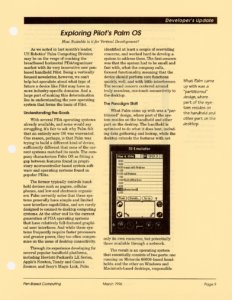
What Palm came up with was a “partitioned” design, where part of the system resides on the handheld and other part on the desktop. The handheld is optimized to do what it does best, including data gathering and lookup, while the desktop extends the features with not only its own resources, but potentially those available through a network.
The result is an operating system that essentially consists of two parts: one running on Motorola 68000-based handhelds, and the other on Windows and Macintosh-based desktops, responsible for managing the synchronization of data between the two platforms.
Achieving the Performance Goals
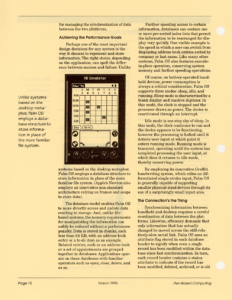
Perhaps one of the most important design decisions for any system is the way it chooses to represent and store information. The right choice, depending on the application, can spell the difference between success and failure. Unlike systems based on the desktop metaphor, Palm OS employs a database structure to store information in place of the more familiar file system. (Apple’s Newton also employs an innovative non-standard architecture relying on frames and soups to store data).
“Unlike systems based on the desktop metaphor, Palm OS employs a database structure to store information in place of the more familiar file system.”
The database model enables Palm OS to more directly access and update data residing in storage. And, unlike file-based systems, the memory requirements for manipulating the information can safely be reduced without a performance penalty. Data is stored in chunks, each less than 64 KB, with an address book entry or a to-do item as an example. Related entries, such as an address book or a set of appointments are grouped together in databases. Applications operate on these databases with familiar operators such as open, close, delete, and so on.
Further speeding access to certain information, databases can contain one or more pre-sorted index lists that permit the information to be rearranged for display very quickly. One visible example is the speed in which a user can switch from displaying address book entries sorted by company or last name. Like many other systems, Palm OS also features execute-in-place operation, conserving system memory and further speeding operations.
Of course, on battery-operated handheld devices, power consumption is always a critical consideration. Palm OS supports three modes: sleep, idle, and running. Sleep mode is characterized by a blank display and inactive digitizer. In this mode, the clock is stopped and the processor draws no power. The device is reactiviated through an interrupt.
Idle mode is one step shy of sleep. In this mode, the clock continues to run and the device appears to be functioning, however the processing is halted until it detects user input at which point it enters running mode. Running mode is transient, operating until the system has completed processing the user input, at which time it returns to idle mode, thereby conserving power.
By employing its innovative Graffiti handwriting system, which relies on differentiated single stroke input, Palm OS is generally capable of supporting smaller physical-sized devices through its use of a surprisingly small input area.
The Connection’s the Thing
Synchronizing information between handheld and desktop requires a careful coordination of data between the platforms. Likewise, efficiency demands that only information that has actually changed be moved across the still-relatively-slow serial link. Palm OS uses an attribute flag stored in each database header to signify when even a single record has been modified within the database since last synchronization. In turn, each record header contains a status attribute to indicate if the record has been modified, deleted, archived, or is old or new. This means that the operating system is capable of synchronizing data on a record-by-record basis, further reducing the amount of data that needs to be shuffled.
To further reduce time and processing requirements, Palm OS stores a unique record ID that is used to match records stored on the PC with those on the handheld. This feature is useful when records are deleted on one platform and then must be matched against its counterpart on the other end.
“Understanding the communication architecture between handheld and desktop requires you to become familiar with the concept of a “conduit,” a PC-hosted application that manages the data exchange process.”
Understanding the communication architecture between handheld and desktop requires you to become familiar with the concept of a “conduit,” a PC-hosted application that manages the data exchange process. Conduits are controlled and executed by the synchronization manager which maintains a list of registered conduits and runs them in order. Palm calls this one-touch synchronization “HotSync,” a process initiated by a wake-up packet send from the handheld to the synchronization manager continually running in the background on the PC.
Conduits can be designed to perform a variety of functions, offering vertical developers the opportunity to closely integrate their custom solution with a new or existing desktop application. For example, one conduit may be designed to install executable code on the handheld, while others may update the handheld with domain specific information processed on the desktop. All this adds up to a very flexible system that can accommodate a wide variety of data exchange requirements under a single, unified architecture.
Conduits offer the developer another important advantage—they are low-level communication independent. The application developer uses a common API to interface with the synchronization manager which, in turn, is responsible for managing any of a range of physical links that could conceivably vary from serial, to wired, to wireless.
Developing conduits is a straightforward process using standard tools under Windows or Macintosh, For example, developers can use Visual C++ along with Microsoft’s MFC on PCs, or Apple’s MPW on the Mac. Come April 1996, Palm plans to ship its Conduit SDK which will include the necessary libraries to support the API, along with documentation, C and C++ header files, and sample code.
Other Useful Features
For vertical developers that would like their application to appear in charge of the handheld, Palm OS permits an application to override the function of the standard physical buttons located at the bottom of the Pilot organizer. For example, a order-entry application could appropriate any of the four buttons to effect a quick and intuitive way to launch the program.
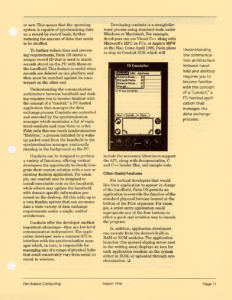
In addition, application developers can execute from the device’s built-in RAM or ROM modules. The application launcher (the upward sloping arrow next to the writing area) displays an icon for each application resident on the system either in ROM, or uploaded through synchronization.
Transcribed from Pen-Based Computing, Volume 6, Number 3 — March 1996. Pages 9, 10, 11.