
The Grid Convertible: First Impressions
From the Original Pages
Click a page to enlarge · Alt-click to open the full issue
Contributing editor John Jerney is a software developer and author specializing in network and communications technologies, and develops software for both PenPoint and Windows for Pen Computing. He is co-author of “Maximizing Novell NetWare” and contributor to “LAN Connectivity,” both from New Riders Publishing. He can be contacted at [email protected].
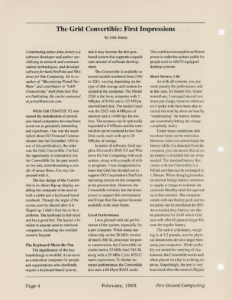
While Fall COMDEX ’92 witnessed the introduction of several pen-based computers, two machines stood out as genuinely interesting and significant. One was the much talked about EO Personal Communicator (see the December 1992 issue of this publication), the other was the Grid Convertible. I’ve had the opportunity to extensively use the Convertible for the past month or two and, notwithstanding a couple of minor flaws, I’m very impressed with it.
The key design of the Convertible is its clever flip-up display, enabling the computer to be used as both a tablet and a keyboard-based notebook. Though the angle of the screen can’t be altered after it is flipped up, I didn’t find this to be a problem. The keyboard is full-sized and has a good feel. The layout is familiar to anyone used to notebook computers, including the overlaid numeric keypad.
The Keyboard Meets the Pen
The significance of the keyboard design is twofold: it can serve as a transition computer for people and organizations who absolutely require a keyboard-based system, and it may become the first pen-based system that supports a significant amount of software development.
The Convertible is available in several models numbered from 2260 to 2263, varying depending on the type of disk storage and modem included in the computer. The Model 2260 is the basic computer with 2 MBytes of RAM and a 125 MByte internal hard disk. The model I used was the 2262 with 4 MBytes of memory and a 14400 bps fax modem. The memory can be optionally expanded to 8 MBytes and the internal disk can be replaced by two SunDisk cards, each with up to 20 MBytes of storage.
In terms of software, Grid supplies Microsoft’s DOS 5.0 and Windows for Pen Computing with each system, along with a couple of utility programs. I was disappointed to learn that Grid has decided not to support GO Corporation’s PenPoint operating system on this computer at the present time. However, the Convertible certainly has the horsepower to support this environment and I hope that this option becomes available in the near future.
Good Performance
I was pleased with the performance of the system, especially for a pen computer. While many machines rely on the 20 MHz version of Intel’s 386 SL processor for power conservation, the Convertible includes both a 25 MHz Intel 386 SL along with a 25 MHz Cyrix 87SLC math coprocessor. To further increase performance, the Convertible also uses a 64 kbyte RAM cache. This combination supplies sufficient power to make the system usable for people used to 486/33 equipped desktop systems.
Short Battery Life
As with all systems, you pay some penalty for performance and in this case, it’s battery life. Under normal use, I averaged around two hours per charge, however others users I spoke with have been able to extend this time by about an hour by “conditioning” the battery before use (essentially letting the charge completely drain).
Under many conditions, this two-hour limit can be restrictive. However, since you can recharge the battery while it is detached from the computer, you can ensure that an extra battery is available for use when needed. The standard battery that comes with the Convertible is a NiCad unit that can be recharged in 1.5 hours. When changing batteries, an internal bridge battery continues to supply a charge to maintain the system in Standby mode for a period up to five minutes. The computer comes with one battery pack and extra packs can be purchased for $99. An extended duty battery can also be purchased for $149 which Grid says will offer 60 percent longer life over the regular battery.
The unit is a bit heavy, weighing in at 5.5 pounds, and the physical dimensions are also larger than many pen computers. While probably not suited for carrying all day, however, the Convertible works well when placed on a lap in a sitting position. Surprisingly, the pen is very functional when the screen is flipped up in the notebook mode.
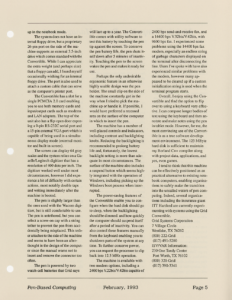
The system does not have an internal floppy drive, but a proprietary 26-pin port on the side of the machine supports an external 3.5-inch drive which comes standard with the Convertible. While I can appreciate the extra weight (and perhaps size) that a floppy can add, I found myself occasionally wishing for an internal floppy drive. The port is also used to attach a custom cable that can serve as the computer’s printer port.
The Convertible has a slot for a single PCMCIA 2.0 card enabling you to use both memory cards and input/output cards such as modems and LAN adapters. The top of the unit also has a flip-open door exposing a 9-pin RS-232C serial port and a 15-pin external VGA port which is capable of being used in a simultaneous display mode (external monitor and built-in screen).
The screen can display 64 gray scales and the system relies on a Gazelle/Logitech digitizer that has a resolution of 400 dots per inch. The digitizer worked well under most circumstances, however I did experience a bit of difficulty with certain actions, most notably double taps and writing immediately after the machine is booted.
The pen is slightly larger than the ones used with the Wacom digitizer, but is still comfortable to use. The pen is untethered, but you can select a screw-on cap with a string tether to prevent the pen from accidentally being misplaced. This tether attaches to the side of the machine and seems to have been an afterthought in the design of the computer since the manual warns not to insert and remove the connector too often.
The pen is powered by two watch-cell batteries that Grid says will last up to a year. The Convertible comes with utility software to test this battery by touching the pen tip against the screen. To conserve the pen battery life, the pen shuts itself down after 5 minutes of inactivity. Touching the pen to the screen wakes the pen and makes it ready for use.
Perhaps the only undesirable ergonomic feature in an otherwise highly usable design was the pen holder. The small clip on the side of the machine constantly got in the way when I tried to pick the machine up or handle it. If possible, I would have preferred a recessed area on the surface of the computer in which to insert the pen.
The machine has a number of well-placed controls and indicators, including contrast and backlighting knobs. Reducing the backlighting is recommended to prolong battery life and, fortunately, the lowest backlight setting is more than adequate in most circumstances. The surface of the machine also includes a suspend button which seems highly integrated with the operation of Windows, including picking up the Windows boot process when interrupted.
The power-saving features of the Convertible enable you to configure when the hard disk should go to sleep, when the backlighting should be dimmed. and how quickly the computer should suspend itself after a period of inactivity. You can also control these features manually from the keyboard enabling you to shutdown parts of the system at any time. To further conserve power, you can request the processor to slip back into 12.5 MHz operation.
The machine is available with two modem options, including a 2400 bps V.22bis/V.42bis capable of 2400 bps send-and-receive fax, and a 14400 bps V.32bis/V.42bis, with 9600 bps fax. I experienced some problems using the 14400 bps fax modem, especially an endless string of garbage characters displayed on the terminal after disconnecting the line. Users I’ve spoke with have also experienced similar problems with the modem, however many appeared to be cleared up if a custom initialization string is used when the terminal program starts.
Overall, I enjoy using the Convertible and find the option to flip over to using a keyboard very effective. I can compose longer bodies of text using the keyboard and then annotate and make notes using the pen in tablet mode. However, for me, the most convincing use of the Convertible is as a true software development environment. The 125 MByte hard disk is sufficient to maintain my Borland C++ compiler along with project data, applications, and yes, even games.
I tend to think that this machine can be effectively positioned as an practical alternative to existing notebook computers, enabling organizations to safely make the transition into the unsailed waters of pen computing. Indeed, several organizations including the insurance giant ITT Hartford are currently experimenting with systems using the Grid Convertible.
Contact:
Grid Systems Corporation
7 Village Circle
Westlake, TX 76262
(800) 222-Grid
(817) 491-5200
ISV/VAR Information:
230 One Tandy Center
Fort Worth, TX 76102
(800) 321-Grid
(817) 390-3341
Transcribed from Pen-Based Computing, Volume 3, Number 1 — February 1993. Pages 4, 5.