
The EO Personal Communicator: First Impressions
From the Original Pages
Click a page to enlarge · Alt-click to open the full issue
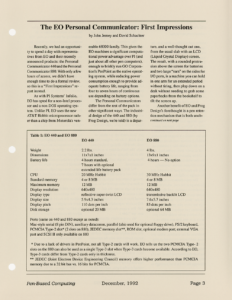
Recently, we had an opportunity to spend a day with representatives from EO and their recently announced products: the Personal Communicator 440 and the Personal Communicator 880. With only a few hours of access, we didn’t have enough time to do a formal review, so this is a “First Impressions” report instead.
As with PI Systems’ Infolio, EO has opted for a non-Intel processor and a non-DOS operating system. Unlike PI, EO uses the new AT&T Hobbit microprocessor rather than a chip from Motorola’s venerable 68000 family. This gives the EO machines a significant computational power advantage over PI (and just about all other pen computers), enough to briskly run GO Corporation’s PenPoint as the native operating system, while reducing power consumption enough to provide adequate battery life, ranging from four to seven hours of continuous use depending on battery options.
The Personal Communicators differ from the rest of the pack in other significant ways. The industrial design of the 440 and 880 (by Frog Design, we’re told) is a departure, and a well-thought out one, from the usual slab with an LCD (Liquid Crystal Display) screen. The result, with a rounded protrusion above the screen for batteries and two large “ears” on the sides for I/O ports, is a machine you can hold in one arm for an extended period without tiring, then plop down on a desk without needing to grab some paperbacks from the bookshelf to tilt the screen up.
Another benefit of EO and Frog Design’s forethought is a pen retention mechanism that is both unob-
Table 1: EO 440 and EO 880
| EO 440 | EO 880 | |
|---|---|---|
| Weight | 2.2 lbs. | 4 lbs. |
| Dimensions | 11x7x1 inches | 13x9x1 inches |
| Battery life | 4 hours standard, 7 hours with optional extended life battery pack | 4 hours — No option |
| CPU | 20 MHz Hobbit | 30 MHz Hobbit |
| Standard memory | 4 or 8 MB | 4 or 8 MB |
| Maximum memory | 12 MB | 12 MB |
| Display resolution | 640×480 | 640×480 |
| Display type | reflective super-twist LCD | transmissive backlit LCD |
| Display size | 5.9×4.3 inches | 7.6×5.7 inches |
| Display pitch | 110 dots per inch | 85 dots per inch |
| Disk storage | optional 20 MB | optional 64 MB |
Ports (same on 440 and 880 except as noted): Mac-style serial (8 pin DIN), auxiliary datacomm, parallel (also used for optional floppy drive), PS/2 keyboard, PCMCIA Type-2 slot* (2 slots on 880), JEDEC memory slot**, ROM slot, optional modem port; external VGA port and SCSI II only available on 880
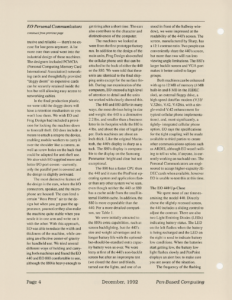
* Due to a lack of drivers in PenPoint, not all Type-2 cards will work. EO tells us the two PCMCIA Type-2 slots on the 880 can also be used as a single Type-3 slot when Type-3 cards become available. According to EO, Type-3 cards differ from Type-2 cards only in thickness. ** JEDEC (Joint Electron Device Engineering Council) memory offers higher performance than PCMCIA memory due to a 32 bit bus vs. 16 bits for PCMCIA. trusive and reliable — there’s no excuse for lost pens anymore. A lot more care than usual went into the industrial design of these machines. The designers included PCMCIA (Personal Computing Memory Card International Association) networking cards and thoughtfully provided “doggy doors” so expensive cards can be securely retained inside the box but still allowing easy access to networking cables.
In the final production plastic, we were told the doggy doors will have a retention mechanism so you won’t lose them. We wish EO and Frog Design had included a provision for locking the machine down to forestall theft. EO does include a means to attach a strap to the device, enabling mobile workers to carry it over the shoulder like a camera, as well as screw holes on the back that could be adapted for anti-theft use. We also wish EO supplied more and better I/O port covers – currently, only the parallel port is covered and the design is slightly awkward.
The most distinctive feature of the design is the ears, where the I/O connectors, speaker, and the microphone are housed. The ears lend a certain “Ross Perot” air to the design but when you get past the appearance, you notice they also make the machine quite stable when you nestle it in one arm and write on it with the other. With this approach, EO was able to reduce the width and thickness of the machine, while creating an effective center-of-gravity for handheld use. We tried several different ways of holding and carrying both machines and found the EO 440 and EO 880 comfortable to use, although the 880 is heavy enough to get tiring after a short time. The ears also contribute to the character and distinctiveness of the computer.
The machines we looked at were from the first prototype factory run. In addition to the design of the main units, Frog Design also crafted the cellular phone unit that can be attached to the back of either the 440 or the 880. We were told that these units are identical to the final shipping units except for the surface finish. During our examination of the computers, EO stressed a high level of attention to detail and the units we worked with clearly showed this.
The 440 and 880 differ in many ways, the most obvious being in size and weight: the 440 is a diminutive 2.2 lbs. and smaller than a business letter in its footprint while the 880 is 4 lbs. and about the size of legal paper. Both machines are about an inch thick. Like the original Macintosh, the 440’s display is sharp as a tack. The 880’s display is comparable to the display on the Samsung Penmaster: bright and clear but not exceptional.
The 880 has a faster CPU than the 440 and it runs the PenPoint operating system and applications faster than any other system we’ve seen, even though neither the 440 or 880 has a cache aside from the small internal Hobbit cache. In addition, the 880 is more expandable than the 440. For a more detailed comparison, see Table 1.
We were initially attracted to the 880’s extra capabilities, such as screen backlighting, but the 440’s size and weight advantages and its longer battery life with the optional-but-should-be-standard extra capacity battery won us over. We were leery at first of the 440’s non-backlit screen but after an impromptu test (we closed the door and blinds, turned out the lights, and one of us stood in front of the hallway window), we were impressed at the readability of the 440’s screen. The screen, manufactured by Sharp, has a 12:1 contrast ratio. Two people can conveniently share the 440’s screen, but more than two will run into viewing angle limitations. The 880’s larger backlit screen and VGA port makes it better suited to larger groups.
Both machines can be enhanced with up to 12 MB of memory (4 MB built-in and 8 MB in the JEDEC slot), an external floppy drive, a high-speed data/fax modem (V.32/V.32bis, V.42, V.42bis, with a single-ended V.42 enhancement for typical cellular phone implementations), and, most significantly, a tightly-integrated cellular phone option. EO says the specifications for the tight coupling will be made available to third parties to create other communications options such as ARDIS, although EO wasn’t willing to tell us who, if anyone, is currently working on such add-ons. The Personal Communicators are engineered to accept higher-capacity JEDEC cards when available, however EO is unable to test this at this time.
The EO 440 Up-Close
We spent most of our time examining the model 440. Directly above the slightly recessed screen, the 440 includes a sliding control to adjust the contrast. There are also two Light Emitting Diodes (LEDs) indicating battery status. The LED on the left flashes when the battery is being recharged and the LED on the right is used to indicate battery low conditions. When the batteries start getting low, the battery low light flashes slowly and PenPoint displays an alert box to make sure you are aware of the situation.
The frequency of the flashing increases as you continue to deplete the batteries but the software assumes you are already aware of the condition and do not need to be interrupted with more alert boxes. When the light is flashing at its third and highest frequency, the machine is immediately placed in suspend mode. At this point you need to swap batteries or switch to AC power to continue working.
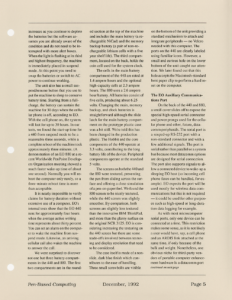
The unit also has a small suspend/resume button that you use to put the machine to sleep to conserve battery time. Starting from a full-charge, the battery can sustain the machine for 30 days when the cellular phone is off, according to EO. With the cell phone on, the system will last for up to 30 hours. In our tests, we found the start-up time for a 440 from suspend mode to be a reasonable three seconds, while a complete reboot of the machine took approximately three minutes. (A demonstration of an EO 880 at a recent Worldwide PenPoint Developers Organization meeting showed a much faster wake-up time of about one second). Normally you will reboot the computer only rarely, so a three-minute reboot time is more than acceptable.
It is nearly impossible to verify claims for battery duration without extensive use of a computer. EO’s internal tests show that the EO 440 runs for approximately four hours when the average active writing time represents about thirty percent. You can set an alarm on the computer to wake the machine from suspend mode. Likewise, an arriving cellular call also wakes the machine to answer the call.
We were surprised to discover not one but three battery compartments in the 440 and 880. The first two compartments are in the rounded section at the top of the machine and includes the main battery (a rechargeable NiCad) and the memory backup battery (a pair of non-rechargeable lithium cells with a five year shelf life). The third compartment, located on the back, holds the coin cell used for the system clock.
The cells in the main battery compartment of the 440 are rated at 1.4 ampere hours and the optional high-capacity cells at 2.3 ampere hours. The 880 uses a 2.6 ampere hour battery. All batteries consist of five cells, producing about 6.25 volts. Changing the main, memory backup, and clock batteries is straightforward although the slide latch for the main battery compartment on the prototype plastic case was a bit stiff. We’re told this has been changed in the production plastic. The Hobbit and the core components of the 440 operate at 3.3 volts, contributing to the long battery life of the device. Peripheral components operate at the standard 5 volts.
The screens on both the 440 and the 880 were textured, preventing the pen from sliding across the surface and offering a close simulation of a pen-on-paper feel. We found the 880 screen to be nicely textured, while the 440 screen was slightly smoother. By comparison, both screens are slightly less textured than the innovative IBM ThinkPad, and more than the glassy surface on the original NCR 3125. EO is considering increasing the texturing on the 440 screen but there are some trade-offs involved between texturing and display resolution that need to be considered.
The case itself is made of a non-slide, dark blue finish which contributes to the ease of handling. Three small screwbolts are visible on the bottom of the unit providing a standard mechanism to attach and integrate peripherals — no Velcro needed with this computer. The ports on the 440 are clearly labeled using familiar icons. However, a small and curious hole on the lower bottom of the unit caught our attention. We later found out that this hole accepts the Macintosh-standard bent paper clip to perform a hard reset on the computer.
The EO Auxiliary Communications Port
On the back of the 440 and 880, a small cover slides off to expose the special high-speed serial connector and power prongs used for the cellular phone and other, future, datacomm peripherals. The serial port is a souped-up RS-232 port with a non-standard connector and with a few additional signals. The port is serial rather than parallel or a system bus because most datacomm options are designed for serial connection. The port also supports signals to allow a connected device to wake-up a sleeping EO host (so incoming cell phone faxes can be handled, for example). EO expects the port will be used mostly for wireless data communications but this is not required — it could be used for other purposes such as high-speed or long-duration data logging for example.
As with most microcomputer serial ports, only one device can be connected at a time. This restriction makes some sense, as it is not likely a user would have, say, a cell phone and an ARDIS link attached at the same time, if only because of the bulk and weight. Nonetheless, one obvious niche for third-party vendors of portable computer enhancement hardware is a datacomm port expander and a PCMCIA slot expander for EO machines. EO thought ahead for expansion and designed the 440 and 880 enclosures to securely attach half-length and full-length expansion devices. The cell phone option is a half-length device. Devices with their own batteries will likely be full-length.
Communications and the Personal Communicator
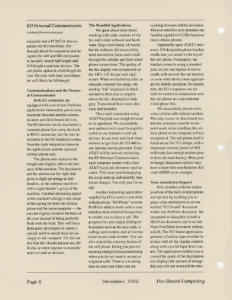
Both EO computers are equipped with a set of new PenPoint applications that enable you to communicate between mobile communicators and desk-bound devices. The EO devices can be attached to a standard phone line using the built-in RJ-11 connector, but the true innovation in the EO machines comes from the tight integration between the applications and the optional cellular phone unit.
The phone unit increases the weight and slightly affects the balance of the machine. The decision to put the antenna on the right side gives a slight advantage to left-handers, as the antenna interferes with a right-hander’s grasp of the machine. Another interesting aspect of the machine’s design is the shape of the casing for both the cellular phone and the main computer — the ears are slightly raised in the back of the case instead of being perfectly flush with the back. This will force third-party developers to create a special mold to attach their device snugly to the computer. EO did not feel that this should present any difficulty or extra expense to manufacturers of add-on devices.
The Bundled Applications
We spent about three hours working with early versions of the fax and e-mail software and hardware. Bugs were found, of course, but the software did successfully send and receive faxes and e-mail through the cellular and hard-wired phone connections. The quality of the fax display was exceptional on the 440’s 110 dot per inch (dpi) screen. When we marked up a fax, to simulate common fax usage, the markup “ink” displayed in black seemed to float ever so slightly above the fax, displayed in dark grey. Transmitted faxes were also clear and readable.
The e-mail connection using AT&T Easylink was straightforward in its operation. We successfully sent and received e-mail through Easylink to our Internet e-mail addresses. In one test, mail took three minutes to get from the EO 440 to our Internet service provider. Since AT&T will be actively marketing the EO Personal Communicators, each computer comes with a free AT&T EasyLink electronic mail account. This saves you from paying the usual start-up and monthly minimum charges. You only pay for usage.
Another interesting application supplied by EO is used to control the cellular phone. “EO Phone” uses the PenPoint address book (with a user interface from PenSoft Perspective) to enable you to place a call. The program lets you supply dialing information such as the area code, a calling card number, and an international access code number. You can also control the roaming feature of the cell phone, letting you prevent roaming charges from accumulating when you do not want to accept or originate calls. There is a roaming tone to warn you when you are roaming between cellular providers. The user interface also simulates the familiar signal level LEDs found on most cellular phones.
Apparently upon AT&T’s insistence, EO designed a phone handset cradle that you attach to the top of the cell phone. Fortunately, the handset connects using a standard jack, so you can replace it and its cradle with an over-the-ear handset or some other device more appropriate for mobile operation. To transfer data, the EO computers use the built-in modem in conjunction with the cell phone or a conventional wired phone line.
We successfully placed a few voice cellular calls without incident. The only caveat we discovered was that the computer must be in suspend mode when installing the cellular phone or the computer will not recognize it. The cell phone itself is based on an Oki 910 design, with a maximum transmit power of 600 milliwatts, low enough to draw power from the main battery. More power-hungry’datacomm options may have to have their own batteries. EO cited ARDIS as an example.
Voice Annotation Support
EO’s bundled software makes good use of the built-in microphone and speaker by enabling you to place voice annotations as an embedded “EO Sound” document within any PenPoint document. We succeeded in doing this in both a MiniNote document and in an InkWare NoteTaker document without a hitch. The EO Sound application presents a familiar tape recorder interface with all the regular controls along with a useful input level control. The application enables you to control the grade of the digitization and displays the amount of storage that you will use to record the message. The CPU is used to perform a 3-to-1 compression of the data.
Once a message is recorded, you can play it back or re-record it. You can also append to a message at any point but you cannot perform a surgical edit on the message because everything after the record point is replaced with the new message. One question that many people may have when hearing about this is whether the microphone or the speaker can be used directly with the cellular phone. The answer is no. In the current unit, the microphone and speaker are provided solely for voice annotation.
Security
Another handy application bundled with the computer is “EO Lock.” This application lets you assign a password that must be entered before the machine can be resumed from suspend mode. You can set EO Lock to require a password under any of the three situations: never, after suspend, and five minutes after suspend. The last setting is the most interesting because it streamlines your work by not requiring a password for frequent and routine suspend operations. Of course you must supply the password whenever you change any of the EO Lock settings, to prevent someone from coming along and locking you out of your own computer!
Getting Connected
To ease the connection of EO communicators to DOS computers, a PC-style serial cable, various adapters, and a diskette containing the Sitka Inc.’s PenTOPS/PenCentral system is included. You insert the diskette in your desktop computer and using the serial connection, your EO computer can “see” all the devices and resources to which your desktop computer has access. For example, you can use this to get access to the network drives mapped on your local DOS computer. PenPoint and PenPoint applications automatically import and export some types of DOS files. For example, the Hobbit version of Numero translates DOS Lotus spreadsheets transparently.
The Personal Communicator for the Rest of Us
A device such as the EO communicator will appeal to a wide variety of users ranging from mobile professionals (doctors, nurses, insurance adjusters) to highly-trained blue-collar workers such as those at gas and utility companies. Since the first generation of EO devices will not be ruggedized, EO appears to be targeting the former category.
EO is performing drop tests and electrostatic tests to ensure that the computers perform under the usual working conditions and our EO contacts told us some third-parties are examining the option of putting a boot around the machines to increase its shock-absorbency. While the screen is sealed to prevent accidental spills from getting inside the machine, we did notice a few possible entry points including the sliding controls at the top of the machine and some of the external unprotected ports.
EO also described an innovative way to distribute minor upgrades and bug fixes to the operating system and applications, using electronic mail. PenPoint and the bundled applications are in Read Only Memory (ROM) and use redirection tables in Random Access Memory (RAM) to provide the necessary hooks for patches. For major upgrades, new versions of the OS are installed by swapping the old and new ROM modules, using an access hatch located near the PCMCIA slot.
At the time of our discussion, EO was negotiating plans for a national service network but they weren’t able to disclose any details about it. Each machine carries a standard one year limited warranty.
Pricing and Availability
The EO Personal 440 Communicator starts at $1999 for a 4 MB system and costs $2799 with 8 MB of RAM and an internal modem. The EO 880 starts at $2999 for a 4 MB system with internal modem and costs $3299 with 8 MB of RAM. The cellular phone module (EO CellPhone Module) with handset is priced at $799. As we go to press, EO is launching a beta testing program and hopes to ship commercial units in the Spring of 1993. As noted in our cover story, AT&T will also sell the EO machines under its own label through AT&T Phone Centers starting next year.
AT&T’s Announcement at COMDEX
AT&T Microelectronics (AT&T ME) used Bally’s Hotel and Casino as a venue for a splashy announcement introducing its entry into the personal communicator market at this year’s Fall COMDEX in Las Vegas. The hour-long presentation was conducted by Curtis Crawford, Vice President of AT&T ME and included an overview of the personal communicator market and snazzy video clips.
Much of the audience’s attention was drawn to the concept video presenting AT&T’s view of personal communicators sometime in the late 90’s. The video showed several people communicating to complete a design meeting using a hand-held device about the size of a calculator. The envisioned communicator included support for real-time, full-motion video, data, and voice. The audience was particularly amused when the screen was physically extended in size so a small live-video insert could be displayed along with the other information.
The highlight of the introduction was the live demo of the communications features of the EO communicators and the seamless integration with the PenPoint architecture, along with existing applications such as Pensoft’s Perspective personal information manager. Robert Carr, Vice President of Software Development at GO Corp. provided the on-stage presentation. Mr. Carr surprised the audience by using the cellular phone to exchange voice and data with Alain Rossmann located across the auditorium and illuminated by a spotlight.
The significance of the AT&T ME announcement should not be underestimated. AT&T recently expressed great interest in actively pursuing the mobile communications market with its major investment in McCaw Cellular Communications. This, coupled with its intention to sell EO designed personal communicators through its vast corporate network and retail outlets, gives the pen-based market, often described as struggling, a major shot in the arm. AT&T ME’s choice of the GO Corporation’s PenPoint operating system also goes a long way in validating many of the design innovations GO included in its radically new mobile operating system. With these and other recent moves, AT&T shows itself to be a nimbler company than before and is now looking for ways to extend its reach, and flex its incredible research and development muscle.
EO’s personal communicators vividly illustrate how pen-based computers and mobile communications can be practically married. The first versions of both communicators are well designed and constructed devices, with the proper attention paid to the trade-offs between innovation and the time and cost to market. As the AT&T presentation stressed repeatedly, personal communicators are a real product category that may change the way people live their lives.
John Jerney, a software developer and author specializing in network and communications technologies, develops software for both PenPoint and Windows for Pen Computing. He is co-author of “Maximizing Novell NetWare” and contributor to “LAN Connectivity,” both from New Riders Publishing. He can be contacted at [email protected].
David Schachter switched to PenPoint after spending a decade developing user-unfriendly CAD/CAE software, user-belligerent object databases, user-hostile radio clocks, and other misanthropic software. He can be reached at [email protected].
For more information, contact:
EO, Inc.
800A East Middlefield Rd.
Mountain View, CA 94043
415-903-8100
Fax: 415-903-8190
Transcribed from Pen-Based Computing, Volume 2, Number 5 — December 1992. Pages 3, 4, 5, 6, 7, 8.